
Even in the digital age, it happens that a carrier calls you or sends an informal email with a freight price. You do not have to manage these offers separately on sticky notes or in Excel spreadsheets. OYASO allows you to document these external prices manually within the system.
Why should I do this? If you enter the quote manually, it appears on equal footing alongside the digital offers in your price comparison. This gives you full cost transparency in one central place—regardless of how the price reached you.
Step 1: Open the Request
-
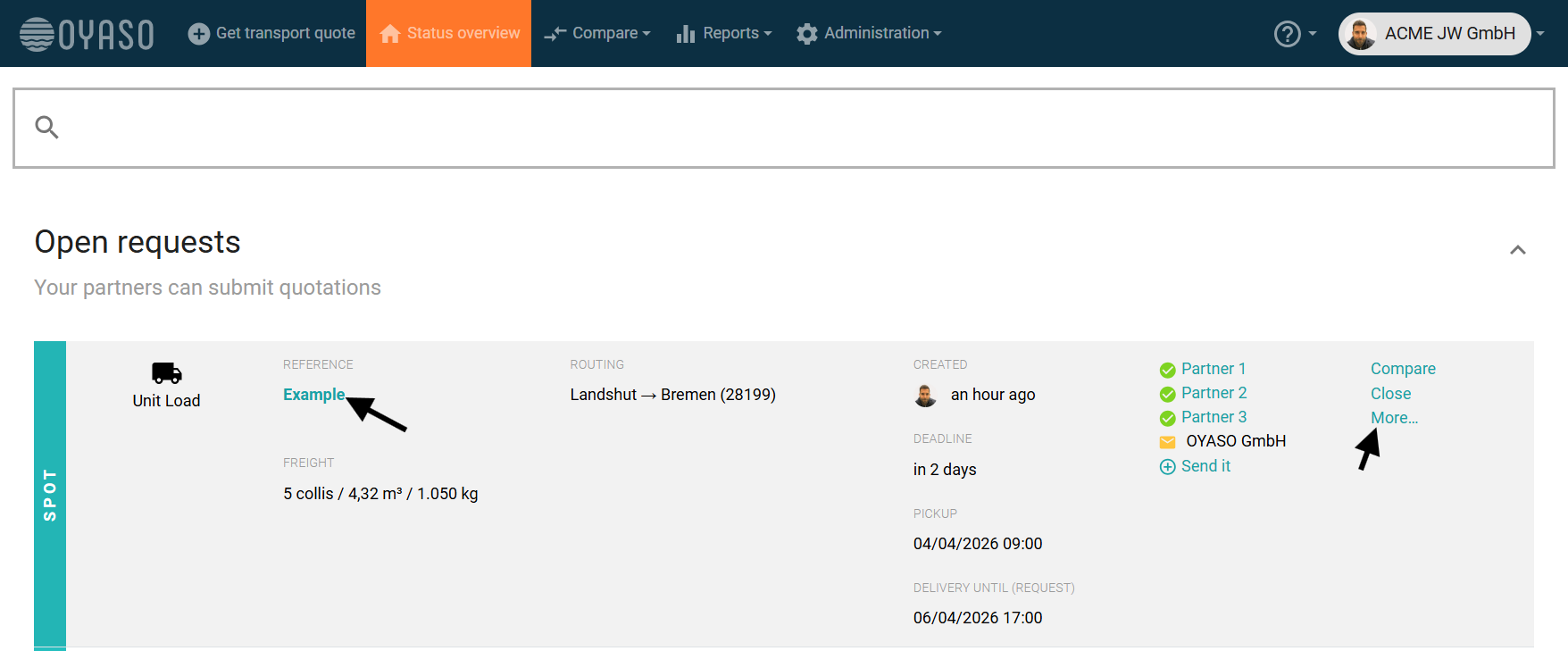
Navigate to the respective request in your Status Overview.
-
Click on "More..." in the right-hand column to open the details.
Step 2: Select the "Enter Offer" Function
-
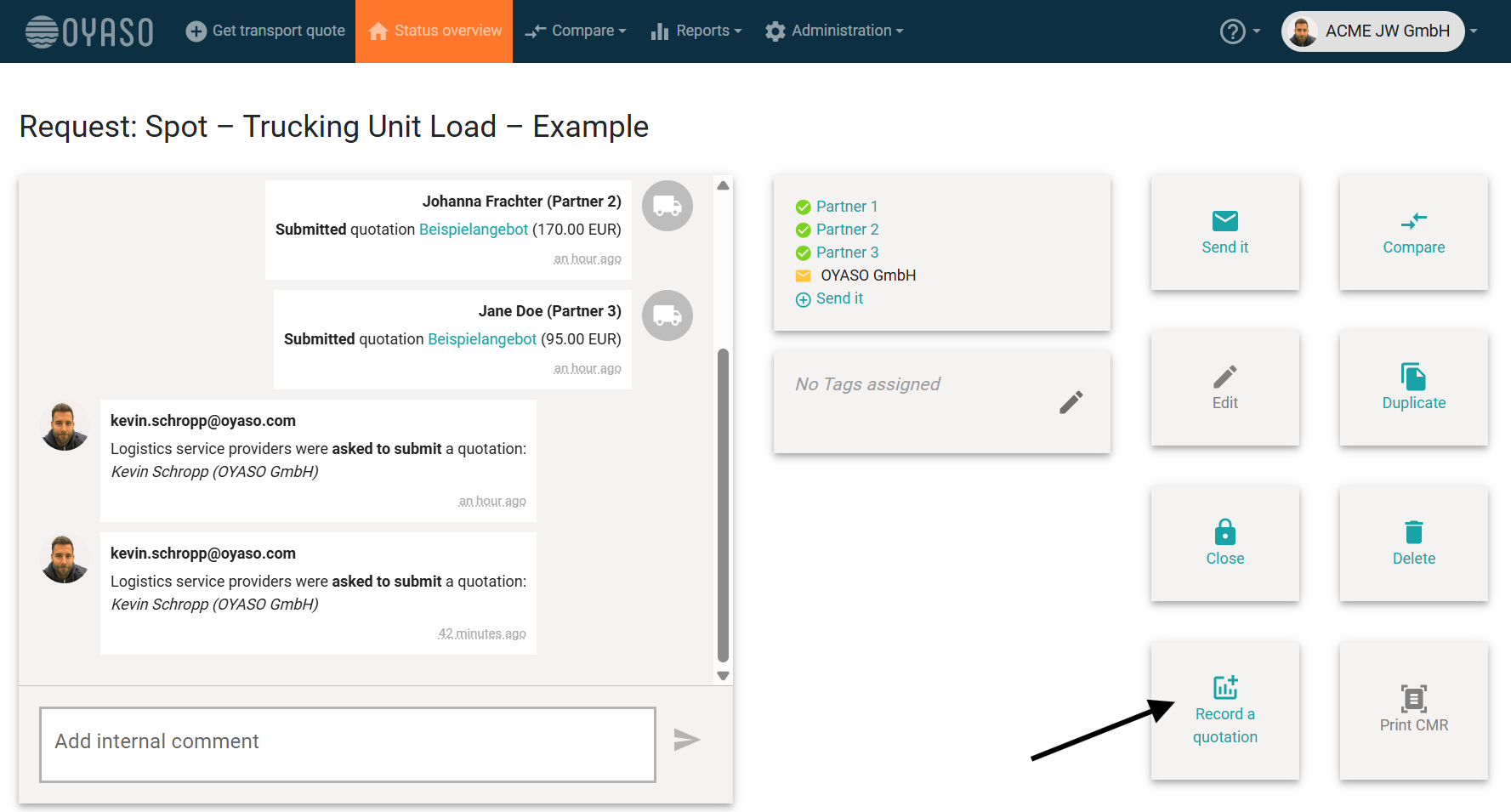
On the right side (or at the bottom of the detailed view), you will find the action buttons.
-
Click the "Enter Offer" (Angebot erfassen) button (the icon featuring a plus sign and a chart).
Step 3: Enter the Data
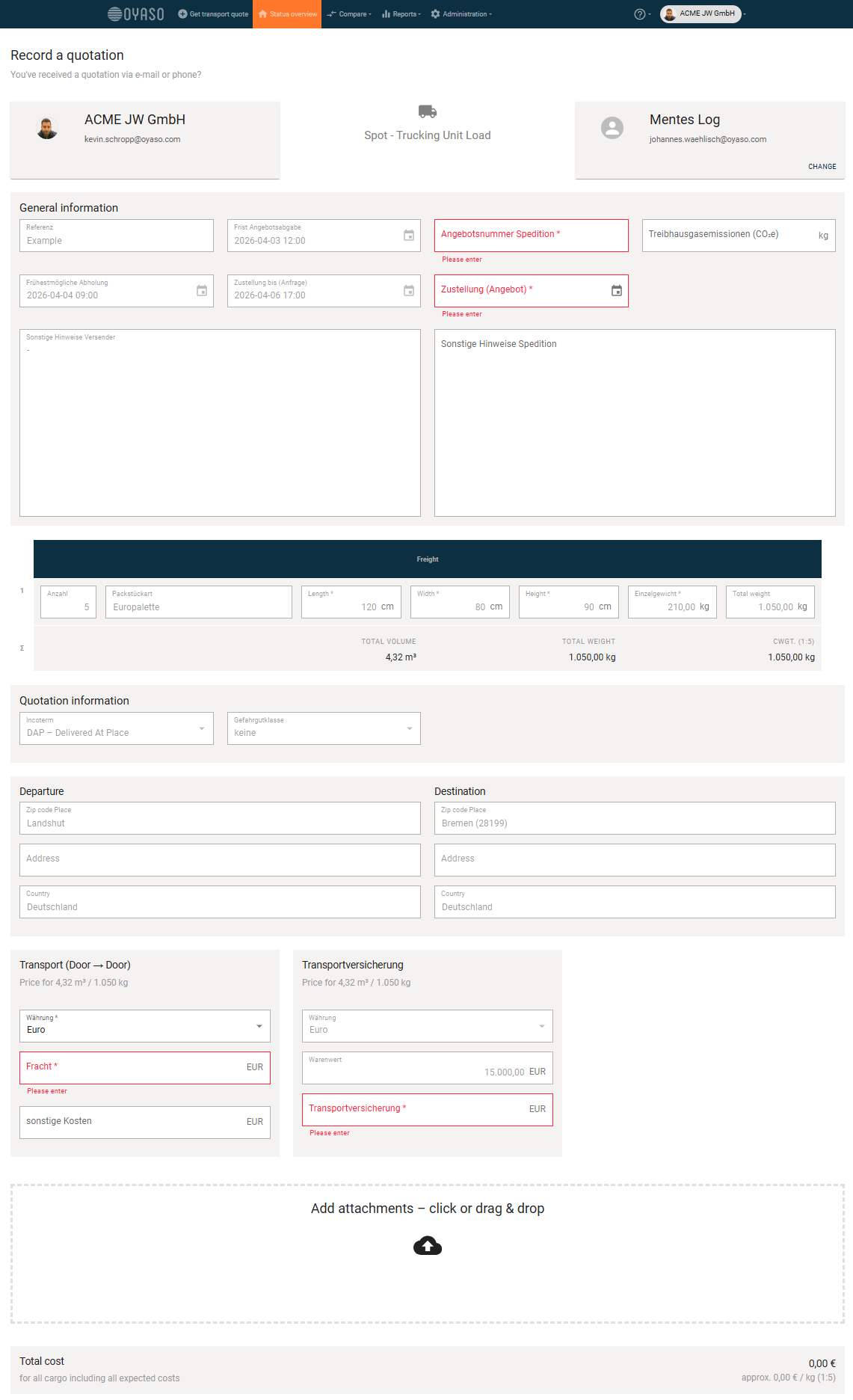
An input mask ("Enter Offer") will open.
-
Service Provider: Select the carrier you received the price from using the dropdown menu.
-
Price & Details: Enter the total price, the currency, and, if applicable, the carrier's specific quote number.
-
Save: Click "Enter" (Erfassen) to save the data.
Result & Transparency
The offer is immediately displayed in the price comparison and can be compared or booked right away. Visually, it does not differ from the digital offers submitted directly by carriers.
Who entered the price? To trace that this quote was entered manually by your team (and not by the carrier themselves), simply take a look at the Activity Log (Timeline) on the left side of the screen. There, it is transparently documented: "Offer was entered on behalf of [Carrier] by [Your Username]".