
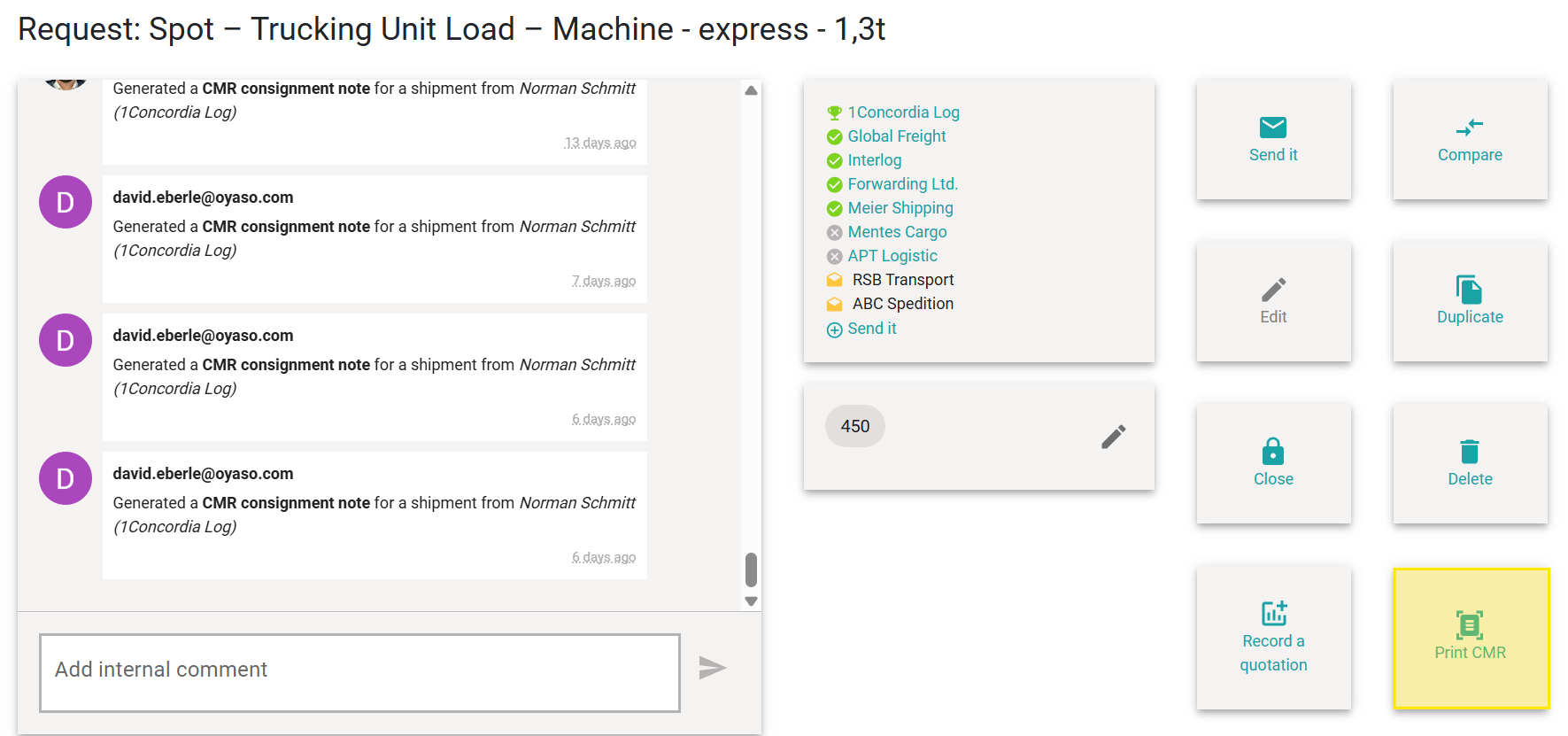
Once a road transport order has been awarded, there’s often only one thing missing in the shipping department: the accompanying paperwork for the truck driver. With OYASO, you no longer need to fill out international waybills (CMR) manually or re-type data into external programs. The system generates the finished document at the touch of a button.
How to Generate the Waybill
-
Open the detailed view of an already awarded spot request.
Pro-Tip: You no longer necessarily need to click "More...". Simply clicking directly on the displayed reference number now opens the details even faster.
-
Take a look at the action menu on the right side (where the buttons for sending or copying are located).
-
Click the "Print CMR" button (identifiable by the small document icon).
-
OYASO will create a complete PDF document within seconds and offer it for download.
Team Transparency: As soon as a team member generates the waybill using this button, it is automatically logged in the Timeline (Activity Log) on the left side (e.g., "Created a CMR waybill for a shipment [...]"). This way, everyone in the team knows that the papers have already been prepared.
Which Data is Automatically Transferred?
The system takes over the tedious typing for you and pre-fills the most important standard fields of the CMR waybill using the data from your request:
-
Addresses: Sender, Consignee, and the place of taking over the goods.
-
Carrier: The commissioned logistics service provider.
-
Shipment Details: Number of packages, precise description of goods (e.g., "Machine on pallet"), gross weight, and volume.
-
Instructions: If you have entered specific instructions in the "Other notes" field (e.g., "Direct loading please", "Must be with the customer on Friday", or "No pallet exchange"), these are also transferred exactly onto the waybill.
The Standard 3-Part Set
The download provides you with more than just a single page; it delivers the full, standard-compliant 3-part set in a single PDF file:
-
Page 1: The copy for you as the Sender (Copy for sender).
-
Page 2: The copy for the Carrier/Driver (Copy for carrier).
-
Page 3: The copy for the Consignee (Copy for recipient).
Simply print the document, sign it, and hand it over to the driver upon pickup!