.svg)
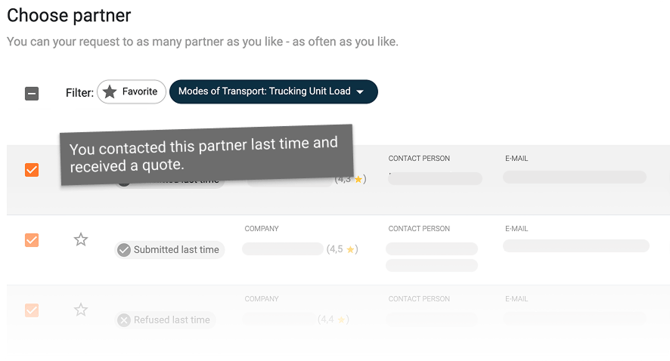
When you create a request, suitable carriers are already selected. The pre-selection follows whom you last worked with.
Where the suggestions come from
OYASO looks for the last shipment with the same transport mode on the same lane (country to country) and suggests the carriers asked there.
Partners flagged in the address book for other transport modes only are then filtered out.
How to steer the pre-selection
Through the transport modes in your address book:
- Click your company name in the top right and select Contacts.
- Click the pencil icon on the partner.
- Under Transport modes, set exactly the modes they offer.
- Save.
The more precisely transport modes are maintained, the more precise the suggestions.
If the wrong partner is suggested
Check that partner's transport modes in your address book first. Without a restriction there, they stay in the selection.
The pre-selection is a suggestion, not a constraint. You can deselect any partner and add others before sending.
If a partner stays wrong although the transport modes are correct, send us the link to the request and the carrier's name. We will look into it. → Contacting support