.svg)
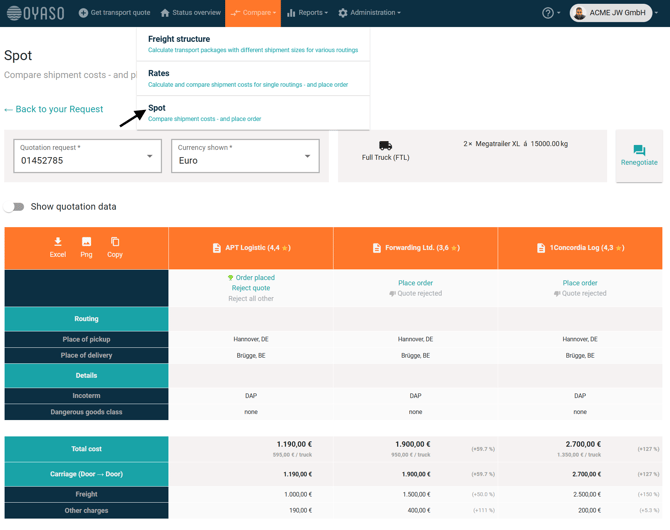
With the "Spot" function in the "Compare" (Vergleichen) area, you take the shortest path to making a decision. Instead of searching for a request in the Status Overview first, you can pull up a specific spot quote directly from here.
How Direct Access Works
-
Click on "Compare" (Vergleichen) in the main menu and select "Spot".
-
Use the dropdown menu at the top of the page.
-
Select the desired reference number of your request (or type it in to filter the list).
The Advantage
The system immediately loads the comparison view for this specific shipment. You can see all received offers from the carriers side-by-side and can compare or book them right away.
This is particularly efficient if you already know the reference number (e.g., from an email notification) and want to avoid scrolling through the lists in the Status Overview.