
Over time, your Status Overview will fill up with many shipments. To ensure you don't have to spend time scrolling, OYASO provides an intelligent full-text search ("Smart Search") that works just like a search engine.
How to use the search:
-
Go to your Status Overview.
-
At the very top, you will find a wide search bar marked with a magnifying glass icon.
-
Simply type in your search terms (e.g., "Spot Land Express" or your specific reference name).
The Highlight: Combined Search
You don't need to know exactly where the information is stored. OYASO searches all relevant fields simultaneously and filters the list in real-time.
As shown in the examples, you can combine terms freely:
-
Request Type: e.g., "Spot".
-
Mode of Transport: e.g., "Land" (finds all road freight).
-
Reference: e.g., "Machine express" (from your internal reference number).
-
Location/Routing: e.g., "Trittau" (the destination or origin).
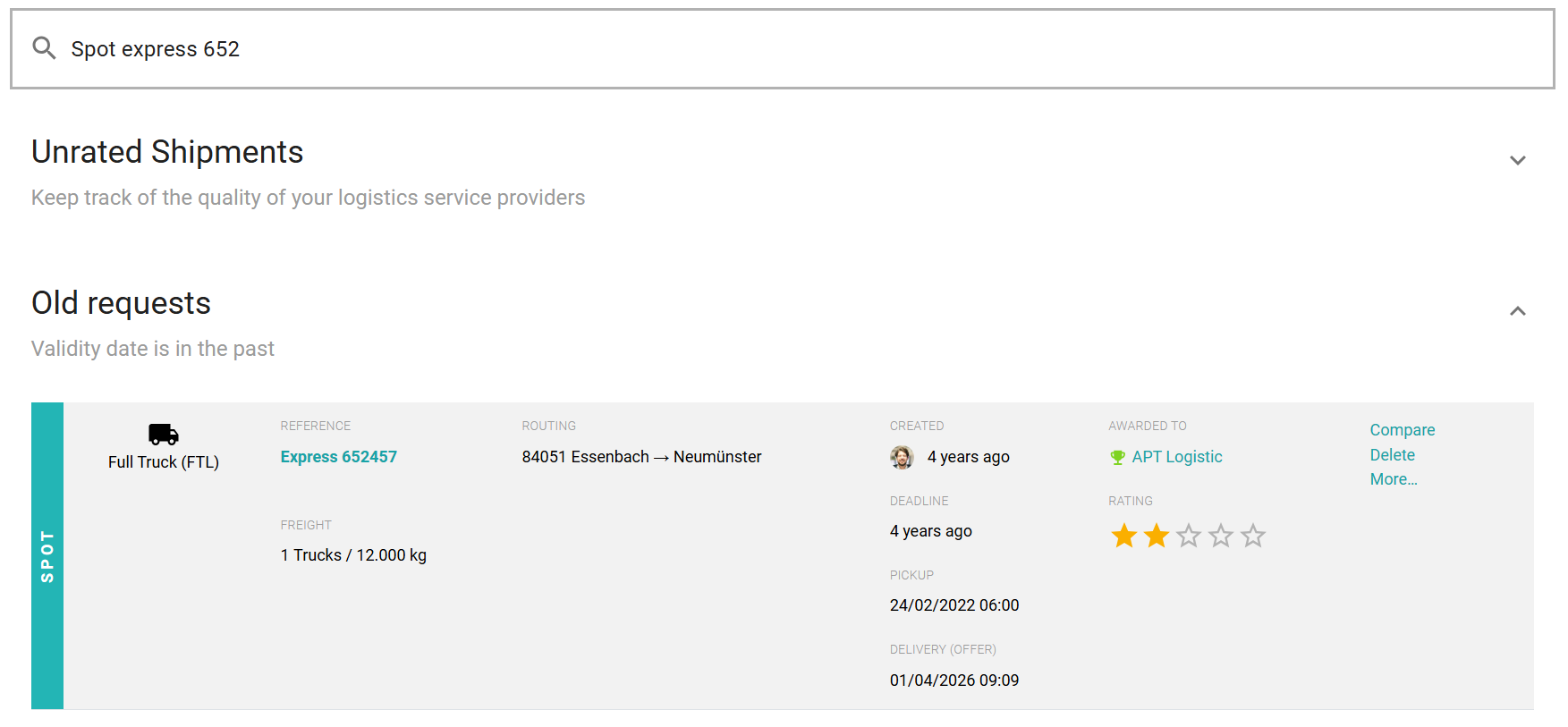
Examples of effective search queries:
-
"Air Shanghai" -> Finds all air freight to or from Shanghai.
-
"12345 Meier" -> Finds reference number 12345 associated with the carrier "Meier."
-
"Sea Container Hamburg" -> Filters all sea freight containers moving through Hamburg.
Pro-Tip: The search filters across all expanded sections—it doesn't matter if the request is currently under "Open Requests", "Closed Requests", or "Old Requests".